
DRM-X 5.0 PDF Protection Update: Personalized Watermarks Remain on Printed Pages; ZJGet for iOS Adds PDF Reading
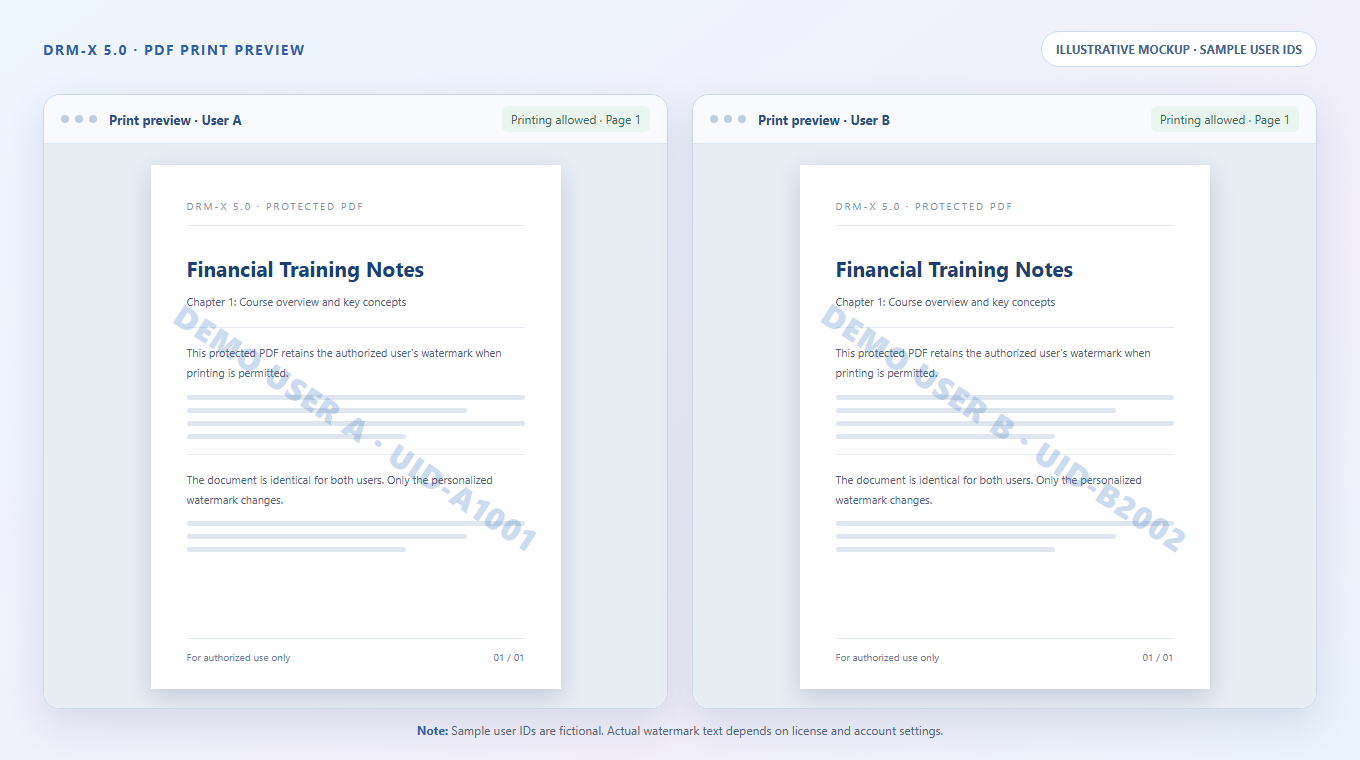
The same protected PDF can display a different identifying watermark for each authorized user. On Windows and Mac, that watermark remains on the printed pages when printing is permitted. ZJGet for iOS now also supports direct reading of protected PDF documents.
01 / PDF WATERMARK PRINTING ON WINDOWS AND MAC
A unique watermark for each user, preserved in print
A course handout, research report, or internal document may be shared with many authorized users. When each user opens the same encrypted PDF, DRM-X 5.0 can display identifying information associated with that user, such as a username or user ID, according to the content provider's watermark settings. There is no need to create a separate PDF for every user.
This update extends that protection to paper copies. On Windows and Mac, when a user is authorized to print, the identifying watermark is printed with the PDF content. If different users print the same PDF, their printed pages retain their respective watermarks—the watermark is not limited to the on-screen view.
Content providers can therefore allow legitimate printing while retaining a way to identify the authorized source of a paper copy. A watermark containing user-identifying information can also encourage careful handling, discourage casual sharing, and provide a lead if a copy is distributed without permission. Watermarks support deterrence and traceability; they do not eliminate every risk of photography or photocopying.
Content providers choose which fields appear in the watermark. We recommend using only the information needed for identification and tracing, without exposing unnecessary personal details on printed pages.
One PDF, different identifying watermarks for different users
02 / DRM-X 5.0 PDF PROTECTION CAPABILITIES
Layered controls before printing and throughout the license period
Printed watermarks complement DRM-X 5.0's existing PDF protection features. Content providers can combine the following license settings to suit their documents and business needs:
- Printing permission and print limits: Decide whether printing is allowed and limit how many times an authorized user may print. Without printing permission, a protected document cannot be printed through the normal authorized workflow.
- Disable virtual printers: Restrict virtual printing paths such as “Print to PDF” when needed, allowing output only through physical printers that meet the configured policy.
- License validity: Set a start and expiration time, or begin a validity period when the user first opens the document. Access requires renewed authorization after the license expires.
- Device and environment restrictions: Combine device binding with restrictions on virtual machines, cloud desktops, and remote desktop sessions where supported to reduce risks associated with high-risk environments.
- Rights updates and revocation: Update or revoke licenses as needed so that expired or withdrawn permissions cannot continue to be used to access a document.
These capabilities must be configured by the content provider according to the license profile, device environment, and business requirements. Availability may vary by version and platform.
For details on PDF encryption, viewing and printing permissions, identifying watermarks, and licensing, explore the DRM-X 5.0 PDF Document Protection features.
03 / ZJGET FOR iOS
Protected PDF reading is now supported
ZJGet for iOS now supports reading PDF documents protected by DRM-X 5.0. Organizations that provide digital handouts, training materials, or member documents can let authorized users read PDFs directly on iOS devices without first converting them to HTML.
Android: PDF support is planned for a future update
PDF reading is not yet available in ZJGet for Android. Haihaisoft plans to add it in a future version; the release date will be announced separately.
About DRM-X 5.0
DRM-X 5.0 is Haihaisoft's digital rights management platform for protecting and licensing video, audio, PDF, web content, and other digital assets. This update brings personalized watermarks to authorized PDF printouts and improves protected document reading on mobile devices.
Explore DRM-X 5.0 features →