
Haihaisoft Launches MovieStudio OTT Multi-DRM Demo to Help Studios Sell Movies Online
Start with a working website and mobile app. Offer movie rentals, purchases, and subscriptions under your own brand with DRM-X 6.0 Multi-DRM.
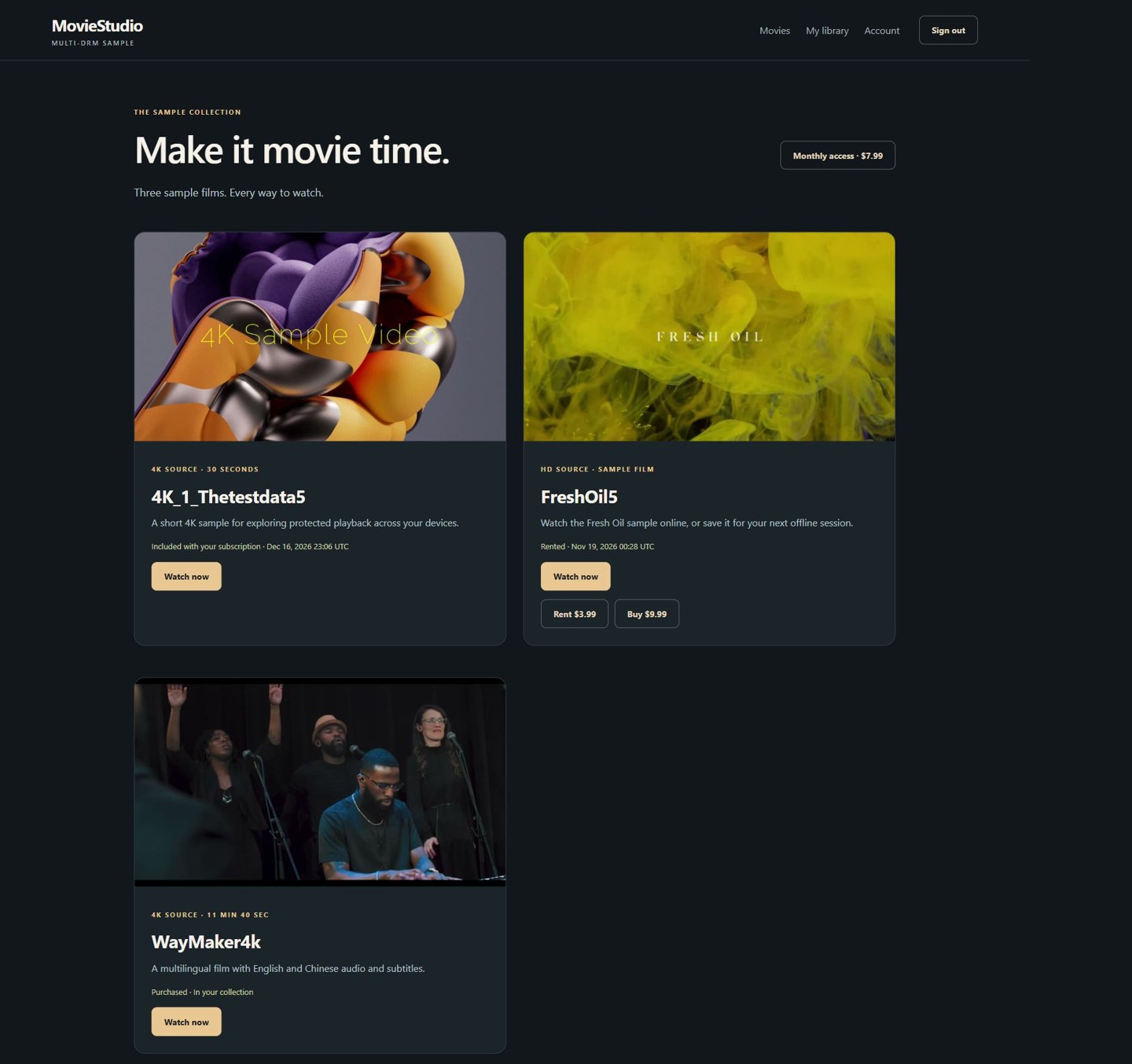
Earn revenue from premieres and your back catalog
Haihaisoft has published MovieStudio, a working video-on-demand demo and sample code for film studios, distributors, and OTT streaming services. Start with a PHP storefront and API, a web player, and app projects for Android, iOS, and compatible Huawei devices. You bring your films, pricing, and brand.
Imagine an independent studio releasing a new film. It can offer a weekend rental for the premiere, let fans buy the film for their library, and give subscribers a reason to return with a rotating collection of earlier releases. MovieStudio shows how those offers can work together on one site.
Rent a title
Charge once for a limited viewing window. In the demo, the first online play starts a 48-hour rental.
Buy a title
Sell a film individually and make it available in the viewer’s library under your purchase terms.
Subscribe to a catalog
Offer recurring access to films, series, or other premium videos for the duration of the paid term.
One storefront, one viewer account, four DRM systems
The PHP sample checks what a viewer has rented, bought, or subscribed to. When access is approved, DRM-X 6.0 issues a short-lived DRM License Token. The player exchanges it for the device’s DRM license and plays the encrypted movie. The website and apps use the same account and access rules, so a viewer can rent on the website and sign in on a compatible phone to watch.
DRM-X 6.0 brings together Google Widevine for Android and supported browsers, Microsoft PlayReady for supported Windows playback, Huawei WisePlay for compatible Huawei devices, and Apple FairPlay Streaming for Apple platforms. The device, media package, and viewing policy determine which DRM is used.
Haihaisoft’s integration code connects the storefront to DRM-X 6.0, and the Universal Player SDK helps developers add protected playback to their own apps. On supported phones, MovieStudio also demonstrates protected downloads, offline license expiry, and separate limits for download devices and simultaneous streams.
Try the MovieStudio website and demo apps
Sign in to the MovieStudio web demo with the prefilled account. Choose Rent on a sample film, confirm the simulated order, and select Watch now. On a compatible phone, start playback online before downloading the rental to watch offline.
- Download the MovieStudio Android demo for compatible Widevine devices.
- Download the MovieStudio Huawei WisePlay demo for supported Huawei devices.
- Build the MovieStudio iOS sample in Xcode to evaluate FairPlay playback on an iPhone.
Build your movie site around one film
- Get the code. Sign in to the DRM-X Console to download the MovieStudio source. Use the sample storefront or connect its access checks to the website you already run.
- Publish a protected title. Encrypt a film with the DRM-X Media Packager and add its published Content ID and streaming URLs to your catalog.
- Connect your checkout. Replace the demo checkout with your payment provider. Grant access after your server confirms payment, then test playback, rental expiry, and downloads on the devices you plan to support.
A registered account can access the sample source. Building apps with the Universal Player SDK requires an active Professional or Enterprise account or an approved Professional evaluation.
Follow the MovieStudio setup guide for the PHP configuration and app build steps.
MovieStudio is coming to more screens
Haihaisoft plans to keep updating MovieStudio and extend the sample to selected Smart TVs and OTT streaming devices. The goal is to let viewers use the same account and movie library in the living room, with the same rental, purchase, and subscription rules they use on the web and mobile.
Developers evaluating TV playback today can explore the DRM-X Universal Player SDK guides for Smart TVs and streaming devices.